PassFab Guide: Password Recovery, Windows Repair & Unlocking

Explore PassFab tools for Windows password recovery, system repair, file password recovery, and device unlocking, with practical tips for choosing the right solution.
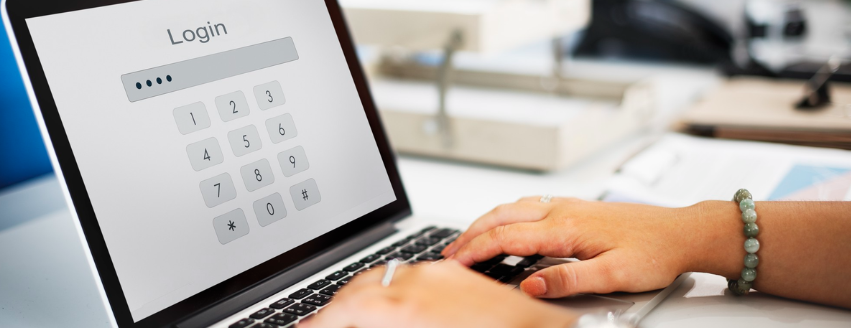
Forgetting a computer password, losing access to a protected file, or dealing with a Windows startup problem can quickly become frustrating. PassFab offers a range of software tools designed to address these common situations, with separate solutions for Windows passwords, system repair, document passwords, archives, and mobile devices.
Instead of trying to cover every problem with one application, PassFab provides dedicated tools for different types of access and recovery issues. Understanding what each product does can help you choose a suitable option without paying for features you do not need.
Brand Overview
PassFab is a software provider focused on password recovery, Windows utilities, and device access solutions. Its product range covers Windows computers, iPhones, Android devices, Microsoft Office files, PDFs, ZIP archives, and RAR files.
The company organizes its software around specific problems. For example, PassFab 4WinKey focuses on Windows password recovery, while PassFab FixUWin is designed to help with various Windows startup and system issues. Other products focus specifically on recovering passwords from protected files.
This approach makes the catalog relatively straightforward to navigate. Once you identify the problem, you can focus on the tool designed for that particular task.
Windows Password Recovery With PassFab 4WinKey
A forgotten Windows password can prevent you from accessing an important computer, particularly when you no longer have another administrator account available.
PassFab 4WinKey is designed to help users recover or reset Windows passwords. According to PassFab, the software can create a bootable password reset disk using a USB drive, CD, or DVD. You can then use that media to access the password recovery environment on the locked computer.
The general process involves:
- Creating a bootable recovery disk
- Connecting the disk to the locked computer
- Booting the computer from the recovery media
- Selecting the relevant Windows account
- Following the available password recovery options
Compatibility can depend on the Windows edition and computer configuration, so checking the current system requirements before using the software is important.
Fix Windows Startup and System Problems
Not every computer access problem involves a password. Windows can also fail to start correctly because of system errors, corrupted files, crashes, or other software issues.
PassFab FixUWin is designed for these situations. PassFab says the tool can help diagnose and repair more than 200 Windows-related problems, including certain startup failures, blue screens, black screens, crashes, and restart loops.
The software also includes additional utilities related to areas such as data recovery, backup and restore, partition management, and password or product-key recovery.
If your computer still accepts your password but Windows does not start normally, a Windows repair utility may be more relevant than a password recovery tool.
Recover Passwords From Protected Files
Password problems are not limited to computers. Important documents and compressed archives can also become inaccessible when their passwords are forgotten.
PassFab provides separate recovery tools for several popular file formats.
Microsoft Office Files
PassFab for Office is designed for password-protected Word, Excel, and PowerPoint files. It provides different recovery approaches, including dictionary, brute-force, and mask-based methods.
The method you choose can depend on what you remember about the original password. For example, knowing possible characters, length, or patterns can help narrow the recovery process.
ZIP and RAR Archives
PassFab also provides dedicated tools for ZIP and RAR files. These products are designed to help recover forgotten passwords from encrypted archives using different recovery methods.
Recovery time can vary considerably. A short or predictable password may be easier to recover than a long password containing a complex combination of characters.
PDF Documents
PassFab for PDF focuses on recovering forgotten PDF passwords and addressing certain document restrictions. The software supports multiple encryption types, although results can depend on how the individual PDF was protected.
For all file recovery tools, you should only attempt to access files that you own or have permission to access.
PassFab Tools for Mobile Devices
PassFab also has products for mobile devices, including solutions for certain iPhone and Android access problems.
PassFab iPhone Unlock is designed for situations involving forgotten passcodes and certain device restrictions. Its supported features and devices can vary, so users should check the current compatibility information before proceeding.
For Android devices, PassFab Android Unlock focuses on certain screen lock and Google FRP-related situations. PassFab lists support for selected devices and manufacturers, but compatibility can differ between models and Android versions.
As with computer recovery tools, these products should only be used on devices you own or are authorized to access.
Which PassFab Tool Should You Choose?
The simplest way to choose a PassFab product is to start with the problem you need to solve.
| Problem | Product to Explore |
|---|---|
| Forgotten Windows password | PassFab 4WinKey |
| Windows startup or system errors | PassFab FixUWin |
| Forgotten RAR password | PassFab for RAR |
| Forgotten ZIP password | PassFab for ZIP |
| Protected PDF | PassFab for PDF |
| Word, Excel, or PowerPoint password | PassFab for Office |
| Certain iPhone or iPad access issues | PassFab iPhone Unlock |
| Certain Android lock or FRP issues | PassFab Android Unlock |
This distinction matters because each product has a different purpose. Choosing based on the exact problem can save time and help you avoid installing unnecessary software.
What to Check Before Buying PassFab Software
PassFab provides free downloads or trial options for several of its products, while some recovery and repair functions require a paid license. The company also provides purchase information, customer support, and a money-back policy for eligible purchases.
Before purchasing, review the following:
- Supported Windows versions or mobile devices
- Features included with the selected edition
- License duration
- Number of supported devices
- Trial limitations
- Current pricing
- Refund conditions
- Available customer support
Compatibility should be one of your first checks, particularly when working with an older computer, a newer mobile device, or a specific file format.
FAQs
What is PassFab used for?
PassFab provides software for Windows password recovery, system repair, file password recovery, and certain mobile device access issues. Its tools are separated according to the type of problem they address.
Is PassFab 4WinKey free?
PassFab 4WinKey offers a free download, but certain password recovery and reset functions require a paid version. The available features can depend on the edition you choose.
Can PassFab FixUWin repair Windows startup problems?
Yes. PassFab says FixUWin can diagnose and repair various Windows system and startup problems, including certain blue screens, black screens, crashes, and restart loops.
Can PassFab recover ZIP and RAR passwords?
Yes. PassFab offers separate tools for ZIP and RAR password recovery. They provide multiple recovery methods, and the time required can vary depending on the password's complexity.
PassFab provides a broad selection of software for people dealing with forgotten passwords, Windows system problems, protected files, and certain mobile device access issues. Its dedicated approach makes it easier to identify a tool based on the specific problem you are facing.
Before downloading or purchasing any PassFab product, check the supported operating system, device, file format, available features, and current license terms. Taking these steps can help you choose a solution that matches your situation and avoid unnecessary software.
For more LifeStyles tips, check out CodesWodes.
Recent Blogs
-
PassFab Guide: Password Recovery, Windows Repair & Unlocking
Explore PassFab tools for Windows password recovery, system repair, file password recovery, and device unlocking, with practical tips for choosing the right solution.
2026-09-09 11:07:00 -
Hears Review: Is This Audiologist-Backed Platform the Best Choice for Hearing Aids?
Navigating hearing aid purchases often leaves buyers choosing between expensive local clinics or unverified online sellers. Our comprehensive Hears review evaluates prescription devices, unbundled pricing, expert audiologist support, and consignment models to help you find the right hearing solution.
2026-08-31 11:12:00 -
Belo Prebiotic Fibre Powder Benefits for Better Daily Gut Health
Adding enough fibre to your meals every day can be harder than it sounds, especially when busy routines get in the way. Prebiotic fibre can be a simple addition for those looking to support their daily gut health.
2026-02-02 17:40:00 -

Eternity Medicine Rx: 8 Top Wellness Picks
Discover the top Eternity Medicine Rx picks for longevity, energy, metabolic health, cellular support, and skincare, with practical tips for building a routine.
2026-08-20 11:28:00 -

WISKII Active Review: Top Picks for Women
Discover standout WISKII Active styles for workouts and everyday wear, including leggings, sports bras, and coordinated sets designed for comfort, stretch, support, and style.
2026-08-15 11:02:00